
Know what your AI coding agents cost — and whether the subscription pays off.
AI coding tools charge a flat fee and quietly hide what you're actually getting for it. AiSpend turns that black box into a clear picture — whether your subscription is paying off, where your money really goes, and what your work is worth. All of it stays private, on your own computer.
$ brew install cloudyali/tap/aispend
doctor --network proves it
Flat pricing is an acquisition strategy. The bill underneath is still tokens.
Coding agents bill a flat monthly subscription and don't expose a per-token meter — yet the real cost is input, output, and cache reads and writes. Price your actual usage at published API rates and the number is often nowhere near what you pay. Most setups can't even measure the gap.
Every number traces to its source
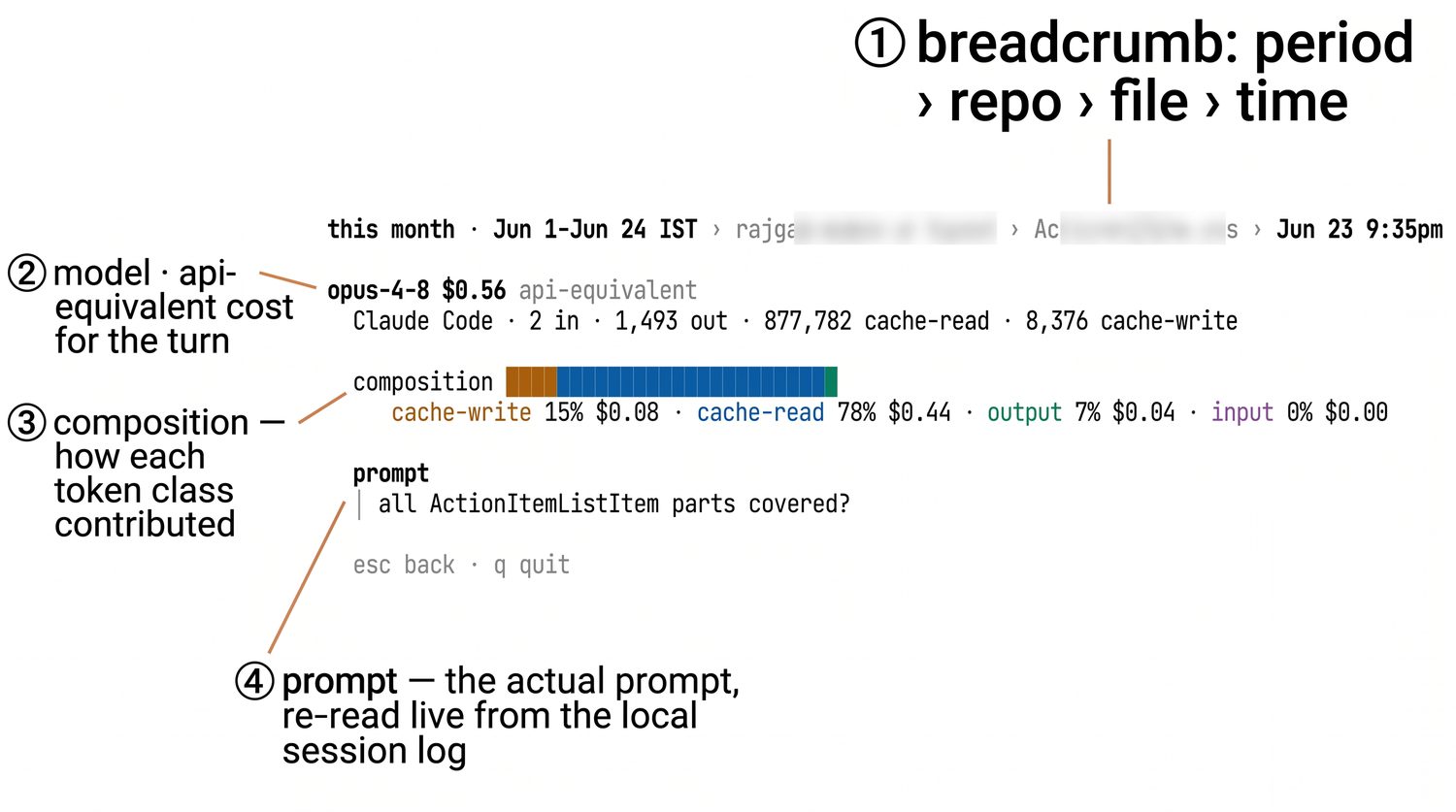
Drill from a day down to a single turn's token-by-token cost. Nothing is asserted without evidence you can open.
↳ input · output · cache-read · cache-write, priced separately
See if the seat actually pays off
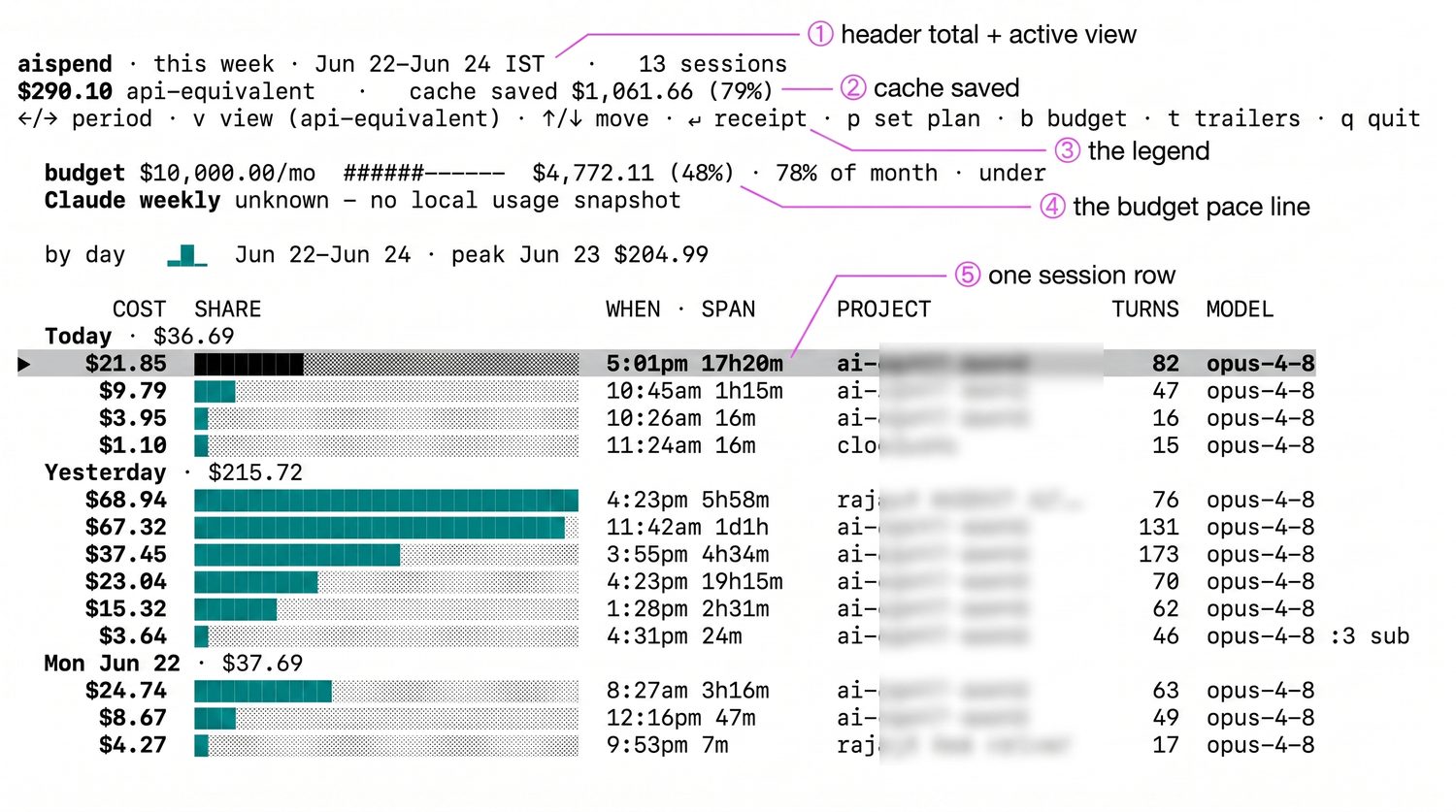
Metered-equivalent cost sits right next to your plan's daily rate — so you know if you're under-using the seat or squeezing 3× the value out of it.
See exactly what a dollar is made of
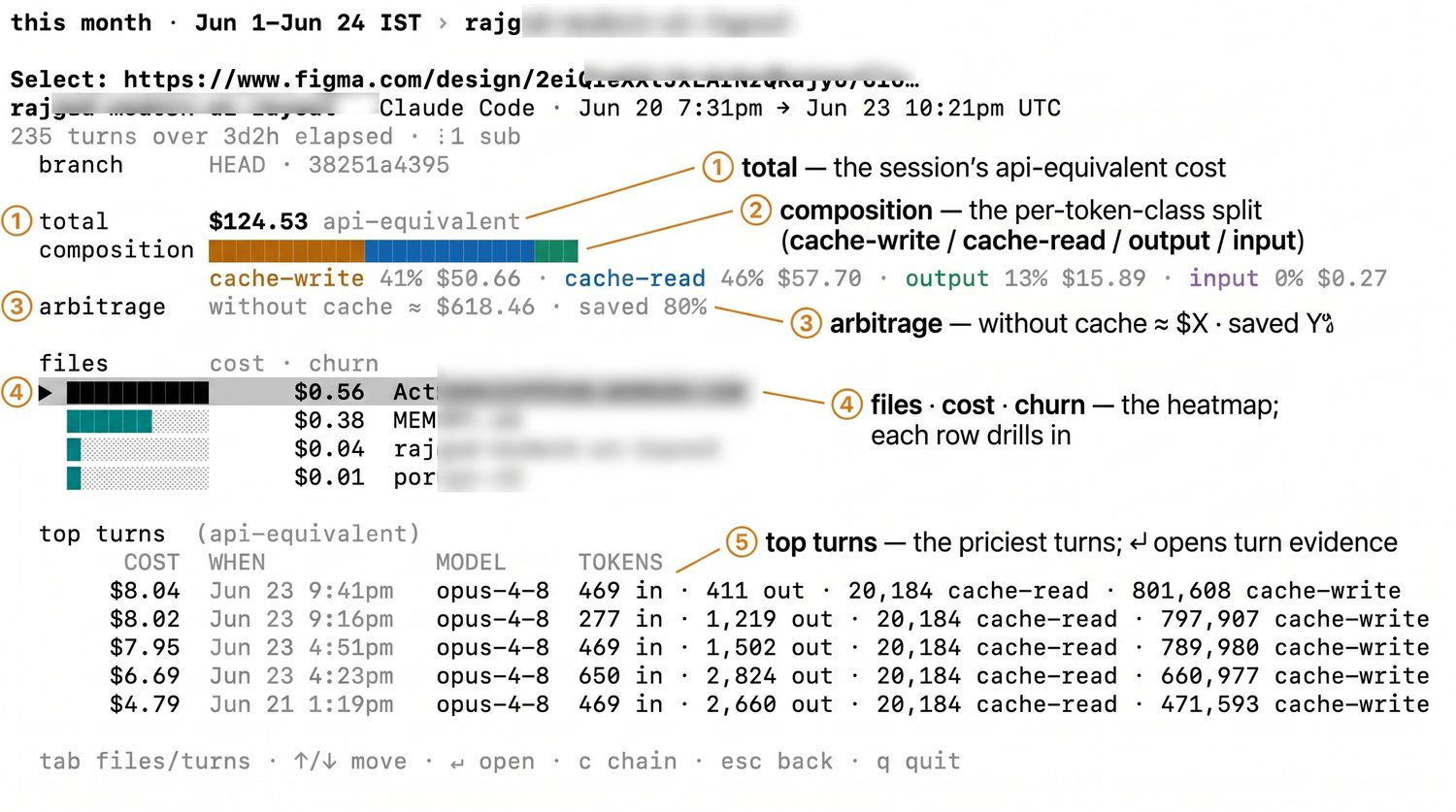
Coding-agent bills are dominated by prompt-cache reads and writes — so AiSpend prices the 5-minute and 1-hour cache tiers separately and shows you the split.
Input · Output · Cache read · Cache write — one consistent palette, everywhere.
- Cache-aware: 5-minute and 1-hour write tiers priced apart
- See what prompt caching actually shaved off the day
- Every figure reconciles back to the day's total
A finance department for your coding agents — in one binary.
No dashboard to log into, no data to upload. Put it on your PATH and run.
Daily glance
aispend today shows api-equivalent spend, subscription ROI, cache savings, and an hourly bar that flags a runaway 2 a.m. session.
Every number explainable
Drill from a day → session → file → a single turn's token-by-token cost. Nothing is asserted without evidence.
Subscription arbitrage
Metered-equivalent cost sits next to your plan's daily cost, so you can tell whether you're under- or over-using the seat.
Cache-aware pricing
Workloads are dominated by prompt-cache reads and writes. AiSpend prices the 5-minute and 1-hour cache tiers separately.
Spend tied to shipped code
Group by branch, commit, or file — and optionally write per-commit cost back to git history as trailers.
Provably offline
The default build has no code path that can send your data anywhere — aispend doctor --network asserts it.
From install to your first explained dollar.
Install the binary
One static file on your PATH — brew, the install script, go install, or a prebuilt download. No Node, no Python, no daemon.
It reads your local logs
AiSpend parses the transcripts your agents already write to ~/.claude and ~/.codex. No API keys, no credentials, no config.
Run it — and drill in
Run aispend today for the glance, or open the TUI to walk session → file → turn. Every dollar traces to a turn, file, and commit.
Your code never leaves your laptop.
No API keys, no credentials, and none of your session data leaves the machine. The only outbound request is a refresh of public model prices — it sends no user data, doctor --network discloses it, and the offline build removes even that.
- Reads local files only — nothing is uploaded
- The
offlinebuild compiles everynet/*import out entirely - Built for NDAs, regulated shops, and the privacy-minded
The questions AiSpend answers.
Am I getting my money's worth?
You're on a $20–$200/mo plan and the meter is hidden. aispend today puts api-equivalent spend next to your plan's daily cost — the ROI line settles it.
What on earth happened at 2 a.m.?
An agent looped overnight and you can feel it but can't see it. The hourly spike bar points at the hour; aispend top names the exact runaway turns.
Which feature did the spend go to?
Group by branch, commit, or file to tie cost to shipped work — for a client invoice, a cost-per-feature readout, or your own "was that refactor worth it?"
Opus or Codex for this task?
report --by model / --by provider shows what each agent actually costs you on real work — so you reach for the right one, not the expensive one out of habit.
I can't send code to a SaaS dashboard.
Under an NDA, in a regulated shop, or just privacy-minded? AiSpend reads only local files and has no code path that can send your data anywhere — doctor --network proves it.
Did caching actually save me anything?
Cache-aware pricing shows what prompt caching shaved off the day, so you can tell whether your prompt structure is pulling its weight.
Pick whichever fits. Every path lands the same binary.
And every path lets you verify exactly what you ran.
macOS, via the CloudYali tap:
macOS / Linux. Downloads the right prebuilt binary and verifies its SHA-256 against the published checksums.txt before installing:
If you have a Go toolchain:
Pure Go, vendored, no codegen — clone and build:
The binary that physically can't reach the network — a build tag compiles out every net/* import (and the TUI):
Stop guessing what your agents cost.
Install AiSpend, run one command, and watch every dollar trace back to the turn that spent it.
$ brew install cloudyali/tap/aispend